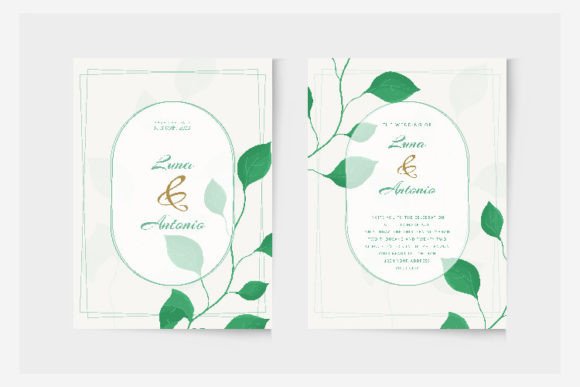
The Gentle Art of Wedding Watercolor Invitation Template Design
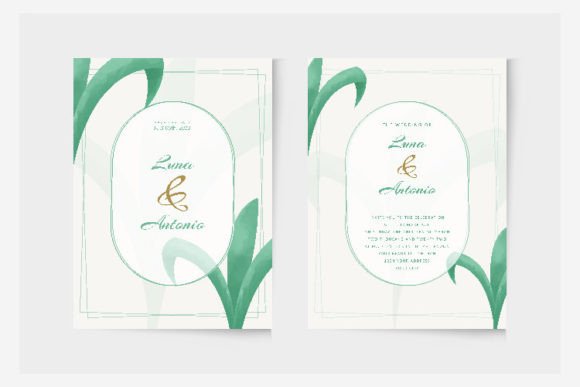
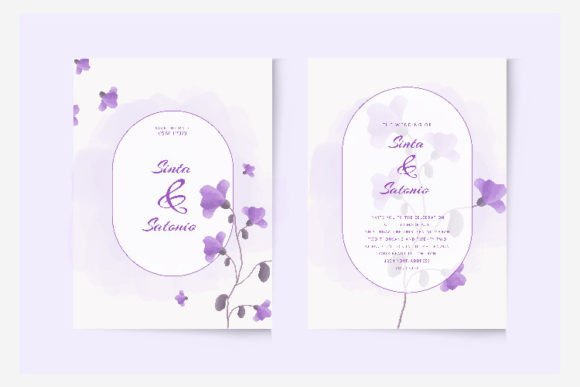
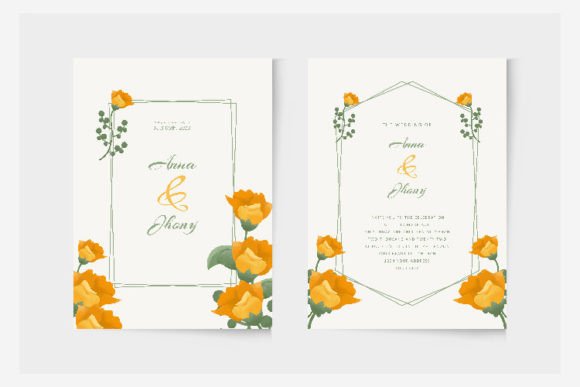
There's something about watercolor that feels like a whisper—a soft, organic touch that instantly adds warmth and personality to any design. When it comes to wedding stationery, that gentle, hand-painted aesthetic isn't just beautiful; it tells a story of romance, intimacy, and personal celebration. For designers, small business owners, and creative professionals, capturing that feeling efficiently is key, and that's where a thoughtfully crafted Wedding Watercolor Invitation Template becomes an invaluable asset. This particular design, created with precision in Adobe Illustrator, offers more than just pretty florals; it provides a versatile, professional foundation that respects your time and elevates your final product.
Beyond the Basics: What Makes This Watercolor Template Stand Out
At first glance, it's the delicate, flowing brushstrokes and the harmonious blend of soft hues that catch the eye. But the real value for a working designer lies in its construction. Because it's built as a vector file in Adobe Illustrator, you're not just getting a static image. You're getting a fully editable design asset. This means you can resize elements without any loss of quality—perfect for adapting a single design into a full suite of materials, from a small RSVP card to a large welcome sign. The provided EPS files ensure compatibility and smooth editing, while the JPG preview offers a quick look at the intended final aesthetic. Working in RGB color mode is ideal for digital-first workflows, ensuring colors look vibrant on screens before any necessary conversion for print.
Practical Applications: From Branding to Beyond the Big Day
While the name suggests a specific use, the core visual language of a Wedding Watercolor Invitation Template has broader applications. Think of it as a premium font for your visual toolkit—a display font in design form. Its elegant, organic style can inform a range of projects.
- Event Branding & Invitations: The most direct use. Customize the text for weddings, bridal showers, engagement parties, or even upscale baby showers. The consistent watercolor motif helps build a cohesive event brand identity.
- Small Business Packaging & Labels: For brands in the artisan, beauty, or boutique food space, this style adds a luxurious, handmade feel to product labels, thank-you cards, or packaging sleeves. It communicates care and quality.
- Social Media Graphics & Digital Marketing: Use elements from the template to create stunning Instagram stories, Pinterest pins, or Facebook headers for wedding planners, photographers, florists, or stationery shops. The visual appeal drives audience engagement.
- Website & Blog Elements: Incorporate watercolor accents into website banners, blog post featured images, or digital product mockups for a softer, more approachable online presence that enhances readability through visual breaks.
- Editorial & Print Layouts: The template can serve as inspiration or a direct resource for designing elegant magazine spreads, lookbooks, or menu cards for cafes and restaurants with a romantic aesthetic.
Integrating Watercolor Aesthetics Into Your Design Workflow
Working with a template like this is about smart customization. Start by considering your project's goal. Is it a logo design for a new bridal boutique? You might extract a single watercolor leaf or bloom to pair with a clean sans serif font. For a full invitation suite, you'll likely use the entire composition but swap out the placeholder text with a carefully chosen script font or handwritten font that complements the watercolor's flow.
A key piece of advice: always test your font pairings. The organic nature of watercolor pairs beautifully with both elegant serifs and modern sans-serifs, but you need to check the contrast and hierarchy. Ensure your main text remains highly readable, even against a textured background. This is where the editability of the Illustrator file shines—you can easily adjust the opacity or placement of watercolor elements behind text to improve clarity. This focus on professional presentation is what separates a good design from a great one.
Making It Your Own: Tips for Effective Customization
The goal isn't to use the template as-is, but to use it as a launchpad. Here’s how to make it work for you:
- Color Palette Adjustments: While the included palette is lovely, you can easily recolor elements in Illustrator to match a client's specific wedding colors or your brand's guidelines. This is crucial for maintaining visual consistency across all materials.
- Layer Management: Dive into the layers panel. Isolate elements you want to use elsewhere—a single floral spray for a business card, a watercolor wash for a website background. This modularity is a huge time-saver.
- Typography Choices: Pair the watercolor graphics with typefaces that share a similar mood. A romantic script font enhances the elegance, while a clean modern typography choice can create a beautiful, balanced contrast. Always prioritize readability.
- Commercial Use Clarity: Before using any design asset for commercial projects, always review the licensing. Ensure the template's license allows for the intended use, whether it's for client work, merchandise, or digital products. This due diligence protects your business and your clients.
In the end, a resource like this Wedding Watercolor Invitation Template is about empowering your creativity within a practical framework. It handles the complex, time-consuming artwork, freeing you up to focus on the strategic customization that makes each project unique and effective. Whether you're a designer streamlining your workflow or an entrepreneur crafting a standout brand presence, leveraging such creative fonts and templates wisely is a smart move in today's visually driven market.