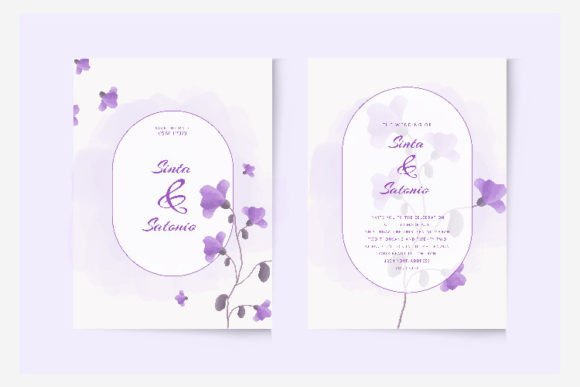
Simple Wedding Invitation Template: A Practical Guide to Elegance
Planning a wedding involves a thousand small details, but few set the tone like the invitation. It’s the first tangible piece of your celebration that guests receive, a physical or digital whisper of the day's style, formality, and personality. For many couples, especially those managing a budget or leaning into a DIY spirit, the search for something beautiful yet straightforward can be overwhelming. This is where a thoughtfully designed Simple Wedding Invitation Template becomes an invaluable asset, offering a blend of professional polish and personal touch that’s hard to achieve from scratch.
Beyond the Basic Invite: The Power of a Professional Template
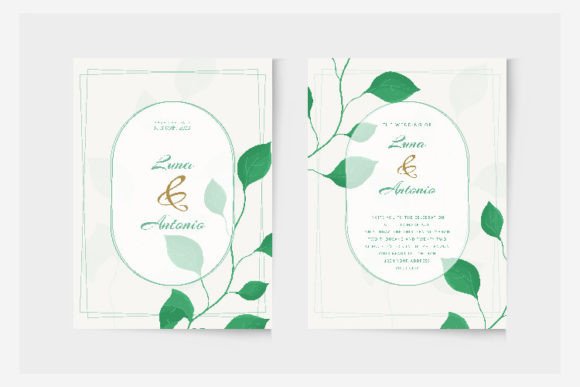
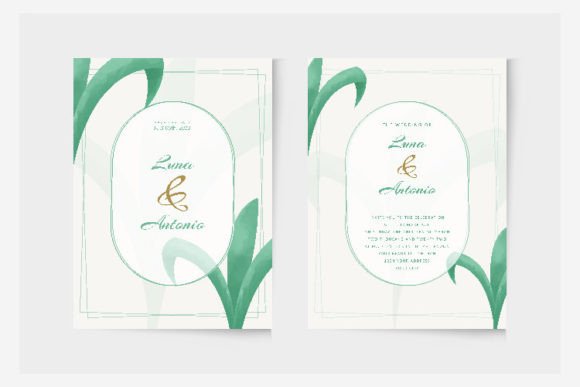
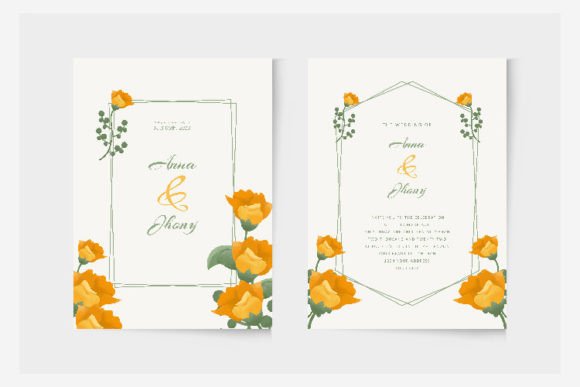
A "simple" design doesn't mean plain or boring. In design terms, simplicity often refers to a clean layout, uncluttered typography, and a focus on essential information. This approach is incredibly effective because it ensures clarity and elegance. When you choose a template crafted in Adobe Illustrator, you’re not just getting a static image. You’re receiving a fully layered, vector-based file. This means every element—from the flourish around the date to the weight of the text—is an individual object you can select, move, and edit. The included EPS files are the industry standard for this kind of work, giving you the flexibility to adjust colors to match your exact palette, swap out fonts, or resize elements without any loss of quality. The accompanying JPG preview is perfect for quick mock-ups or sharing with your wedding party for feedback.
This level of customization transforms a pre-made design into your own. It’s the difference between buying a dress off the rack and having it tailored. You maintain the beautiful foundational structure while infusing it with your unique story. For a small business owner or a creative entrepreneur, this same principle applies to brand identity. Using a consistent, editable template system for all your stationery—save-the-dates, thank you cards, menu layouts—ensures a cohesive visual language that speaks volumes about your attention to detail.
From Wedding Stationery to Business Branding: Unexpected Uses
While its primary purpose is clear, the utility of a well-structured invitation template extends far beyond nuptials. Consider the designer or marketer who needs to create elegant, formal communications. The clean lines and sophisticated typography of a wedding template are perfectly suited for upscale event invitations, charity gala announcements, or high-end product launch details. The RGB color mode specified in the files is optimized for digital screens, making it ideal for creating stunning social media graphics, email headers, or website banners that require a touch of class.
Think about how this asset could serve a blogger or content creator. A beautifully formatted invitation layout can be repurposed into a visually striking "Save the Date" for an upcoming webinar, a podcast launch announcement, or a call-to-action for a special newsletter. The high-quality design ensures that your graphics look crisp and professional, whether viewed on a phone or printed as a large poster for an in-person event. The font pairing choices already made within the template—likely a graceful script paired with a clean sans serif font—provide a ready-made lesson in typographic harmony that you can learn from and apply to other projects.
Practical Tips for Customization and Brand Alignment
Getting the most out of your template involves a few key considerations. First, think about your overall brand identity or wedding theme. Is it modern and minimalist? Rustic and romantic? The template's structure should support this. Use Adobe Illustrator’s tools to explore the existing font styles. Often, templates include a curated selection. You might find a elegant serif font for headings, a script font for names, and a legible display font for details. Before making changes, test how these fonts read in both print and digital formats. Readability is paramount; an ornate script might be beautiful for a name but challenging for an address block.
Color is another powerful lever. The template likely uses a neutral or classic palette. Use the color picker in Illustrator to align it with your specific brand colors or wedding scheme. This simple change can completely alter the mood of the design. Remember, while the template provides a high-quality design, your personalization is what makes it memorable. Don’t be afraid to adjust spacing, add a subtle monogram, or incorporate a small, meaningful graphic element. For commercial projects, always double-check the licensing of any additional fonts or assets you integrate to ensure they are cleared for commercial use.
Ensuring a Polished Final Product
The final step is preparation for output. If you’re printing, you’ll need to convert your color mode from RGB to CMYK, a standard process in any print workflow. Work with your printer to understand their specific requirements for file format and resolution. The vector nature of the EPS file makes this conversion smooth and ensures your colors remain true. For digital-only use, the RGB files are ready to go, offering vibrant colors on screens.
Ultimately, a Simple Wedding Invitation Template is more than just a time-saver. It’s a professional foundation. It empowers you to create marketing assets, print materials, and digital products with a level of sophistication that might otherwise require a significant investment in a custom designer. Whether you’re a bride-to-be crafting your perfect day or a solopreneur building a polished brand, starting with a robust, editable template is a smart, practical strategy for achieving visual consistency and a professional presentation that truly engages your audience. It’s about starting with a strong, elegant framework and making it unmistakably yours.