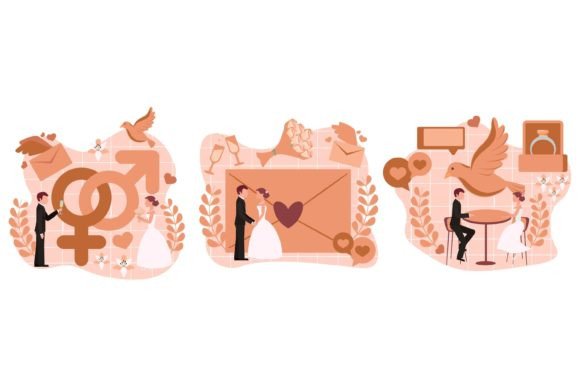
Flat Bundle Wedding Design Illustration: A Vector Toolkit for Modern Nuptials
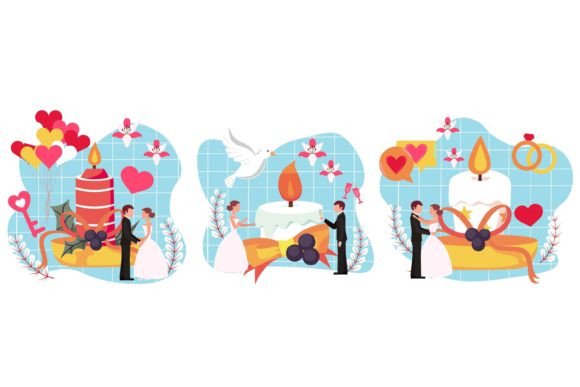
Planning a wedding involves thousands of tiny details, but for designers, the real challenge lies in capturing the romance of the day while maintaining a clean, modern aesthetic. You need assets that feel personal and whimsical without looking messy or dated. That is exactly where the Flat Bundle Wedding Design Illustration comes in. It bridges the gap between minimalism and sentimentality, offering a suite of graphics that feel fresh, airy, and incredibly versatile for any wedding-related project you might be working on this season.
The beauty of this collection lies in its vector nature. Every single element is 100% vector, meaning you are working with mathematical paths rather than fixed pixels. This is a game-changer for scalability. Whether you are designing a tiny favicon for a wedding blog or a massive banner for a reception venue, these graphics retain their crispness and clarity. Because they are built for Adobe Illustrator, you have total control. You can deconstruct a floral arrangement, recolor a bouquet to match a specific wedding palette, or reshape a ribbon to fit a unique layout. It is the kind of flexibility that allows you to move beyond generic templates and create truly custom designs.
The Power of Flat Design in Wedding Branding
There is a reason flat design has remained a dominant trend in visual communication: it communicates clearly. In the context of weddings, where emotional weight is high, visuals can easily become cluttered. Flat design strips away the noise—removing heavy drop shadows, complex gradients, and 3D effects—to focus on shape and color. This style feels contemporary and sophisticated, appealing to modern couples who want their wedding to feel stylish rather than stuffy.
For brand identity projects, this bundle is a goldmine. Imagine you are crafting a logo for a boutique wedding planner. You might pull a singular line-art leaf or a stylized cake icon from the bundle to create a logomark. Because the Flat Bundle Wedding Design Illustration includes well-organized shapes, you can easily merge elements to create something unique. The result is a brand identity that feels cohesive. You can use these same visual motifs across the couple’s save-the-dates, their wedding website, and their day-of signage, ensuring that the visual language remains consistent from the first announcement to the final thank-you card.
Practical Applications: From Digital to Print
One of the most frustrating parts of design work is finding assets that work as well on screen as they do in print. This bundle is optimized for both. Since the files are in RGB color mode, they are ready for web design, social media graphics, and email marketing campaigns immediately. If you are a content creator running a wedding blog, you can use these illustrations to break up long blocks of text, adding visual interest that keeps readers engaged. They are perfect for creating Pinterest pins or Instagram Stories that stop the scroll.
However, for print materials like invitations, menus, or posters, you may need to convert the color profile to CMYK, which is a simple step in Illustrator. The high-resolution nature of the files ensures that your prints will look professional. Consider the versatility here: you could use a floral illustration as a background texture for a wedding invitation, or as a standalone graphic on a tote bag for bridal party merchandise. The possibilities extend to editorial layouts for wedding magazines, packaging design for favors, and even digital products like planners or sticker sets.
Matching Visuals to Project Goals
When working with a comprehensive asset pack, it is easy to get overwhelmed by the options. The key is to start with the project's goal. Are you designing for a rustic barn wedding or a sleek city hall ceremony? The flat style is incredibly adaptable. By simply changing the color palette within Illustrator, you can transform a soft pastel illustration into a bold, high-contrast graphic.
Here are a few ways to approach your design strategy:
- For Brand Recognition: Stick to a specific set of icons from the bundle. If you use a specific floral motif on the website, use it on the business cards too. This repetition builds a visual shorthand for the brand.
- For Engagement: Use the illustrations to highlight key information. A vector ring icon next to the "Registry" section of a website helps guide the eye. Visual cues like these improve the user experience and make content easier to digest.
- For Professional Presentation: Avoid mixing too many styles. If you are using the clean lines of this flat bundle, try to pair them with modern sans serif fonts or elegant serif fonts rather than overly decorative script fonts that might clash with the illustration style.
Tips for Customization and Editing
Because this bundle is designed for Adobe Illustrator, you have the freedom to treat these graphics as clay rather than stone. Do not be afraid to edit the paths. If an illustration is too busy, delete anchor points to simplify it. If you need a specific color that matches a client's brand guidelines, use the eyedropper tool or input the hex code directly.
A practical tip for designers is to create a "style guide" layer in your working file. Place the original illustrations there as a reference, and create your modified versions on a separate layer. This helps you keep track of your changes while preserving the integrity of the original assets. Also, pay attention to the "Well-organized shapes" feature mentioned in the asset description. This usually means elements are grouped logically, making it much faster to isolate specific parts of a complex illustration, like changing the color of a flower petal without affecting the stem.
Ultimately, the Flat Bundle Wedding Design Illustration is more than just a collection of images; it is a toolkit for storytelling. It allows you to build a visual world for a wedding that is as unique as the couple. By leveraging the scalability of vectors and the clarity of flat design, you can deliver projects that look polished, professional, and perfectly tailored to the occasion. Whether you are a seasoned graphic designer or a hobbyist helping a friend plan their big day, having a reliable, editable, and high-quality set of assets makes the creative process smoother and the final result far more impressive.